Tax & Compliance
🔍
Ensure you get YOUR full tax refund.
Don’t leave potential ₹20,000+ on the table!
₹20,000+
“Many clients get an ITR notice because their tax paid doesn’t match the government’s records. Form 26AS is the very first place I tell them to check. It can save you a lot of headache.”
Anshuman Kumar, FP&A Manager
Who this guide is for: This guide is for salaried Indians, typically between 25-42 years old, who are either new to filing Income Tax Returns (ITR) or often find themselves confused about tax credits, TDS, and why they sometimes receive notices from the Income Tax Department. You earn money, pay taxes, and want to make sure you get your refunds correctly and avoid any tax trouble.
Priya, a 30-year-old software engineer in Mumbai, earning ₹75,000 a month, filed her ITR last year expecting a refund. Instead, two months later, she received an Income Tax notice. It stated that the TDS (Tax Deducted at Source) she claimed was higher than what the government’s records showed. Panic set in. She called her colleagues, then her father, trying to understand what went wrong.
She brought me her documents. The first thing I asked her was, “Have you checked your Form 26AS?” She looked blank. She had no idea what I was talking about. This small document, which many salaried individuals overlook, turned out to be the key to her problem.
What Exactly is Form 26AS? Your Annual Tax Statement
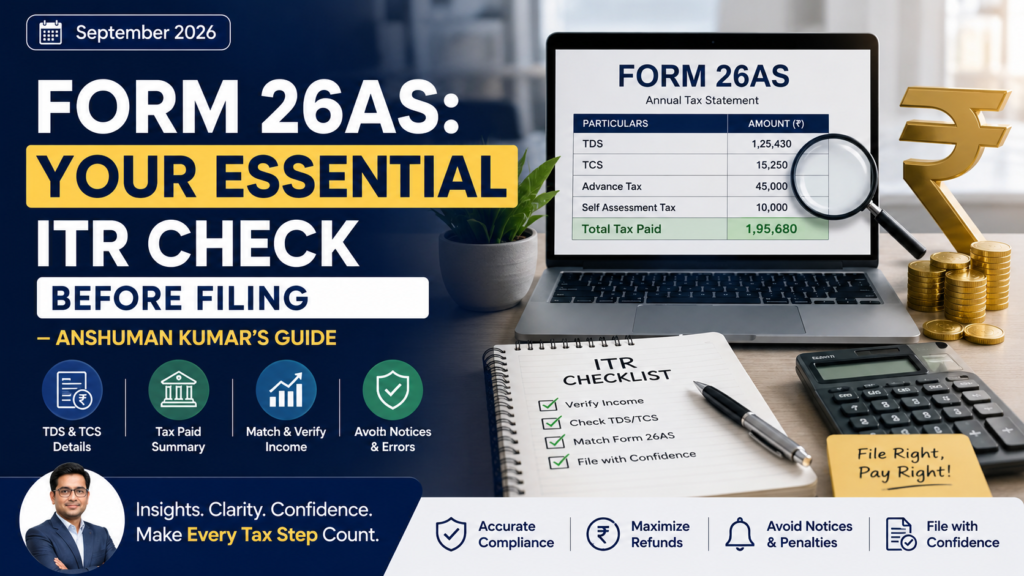
Think of Form 26AS as your personal annual tax passbook. It’s a consolidated statement that shows all the taxes paid against your Permanent Account Number (PAN) during a financial year. This includes all the Tax Deducted at Source (TDS) by your employer, bank, or any other entity, and any Tax Collected at Source (TCS) as well. It also includes any advance tax or self-assessment tax you might have paid.
The Income Tax Department uses this document as its primary record of the tax credits available to you. When you file your ITR, the system matches the tax credits you claim with the data in your Form 26AS. If there’s a mismatch, that’s when you can get a tax notice.
Source: TRACES (TDS CPC) — Verified June 2024
Key Sections of Your Form 26AS
Part A
Details of TDS (Employer, Bank, etc.)
Part B
Details of TCS (Tax Collected at Source)
Part C
Details of Paid Tax (Advance Tax, Self-Assessment Tax)
Part D
Details of Refund (If any)
Part E
Details of High Value Financial Transactions
Why Form 26AS is Your ITR’s Best Friend
Ignoring your Form 26AS is like going into an exam without checking your notes. Here’s why you absolutely must check it before filing your Income Tax Return:
✅
Verify Your TDS/TCS Credit: Your employer issues Form 16, and banks issue Form 16A. These show the TDS deducted. Form 26AS is the government’s official record. Make sure the TDS amount in your Form 16/16A matches your Form 26AS. Any difference can lead to ITR processing issues.
🚨
Spot Errors Before They Become Notices: Mismatches can happen. Your employer might have made a data entry error. A bank might have entered a wrong PAN. If your Form 26AS shows less TDS than claimed in your ITR, you might get a demand notice for the difference, plus interest. Catching these early saves you money and stress.
Source: Income Tax Department — Verified June 2024
🔍
Track High-Value Transactions: Part E of Form 26AS lists high-value transactions like property sales/purchases, large mutual fund purchases, or significant interest payments from banks. These are reported by financial institutions to the Income Tax Department. Knowing what’s reported ensures you declare everything correctly.
💰
Claim Correct Refunds: If you are due a refund, ensuring your TDS/tax credits are correctly reflected in Form 26AS ensures a smooth processing of your refund. Any discrepancy can delay or even block your refund.
My Client’s ₹18,000 Headache: A Real-Life Form 26AS Story
Anshuman’s Real-Life Case
I remember a client, Deepak, a 35-year-old marketing manager in Bangalore. He was earning ₹90,000 a month. In Financial Year 2023-24 (Assessment Year 2024-25), he changed jobs in September. His old employer deducted TDS correctly for all months up to August. However, for his last month’s salary, they deducted the TDS but didn’t deposit it with the government in time, or perhaps made an error in reporting his PAN.
Deepak, unaware of this internal glitch, filed his ITR based on his Form 16. He claimed the full TDS amount. About four months after filing, he received an Income Tax notice demanding an additional tax payment of ₹18,000, plus interest. He was furious and confused. He knew tax had been deducted.
“Where did I go wrong?” he asked me. We immediately checked his Form 26AS. There it was — the TDS for one month from his old employer was missing. It took him three months of constant follow-up with his previous HR and accounts department to get them to rectify the error and update the TDS status on TRACES. This entire ordeal, including the interest and the lost time, could have been avoided if he had checked his Form 26AS before hitting ‘submit’ on his ITR.
How to Access and Understand Your Form 26AS
Accessing your Form 26AS is fairly simple. You can get it from two primary sources:
- Income Tax e-filing portal: Log in to your account at incometax.gov.in. Go to ‘e-File’ > ‘Income Tax Returns’ > ‘View Form 26AS’.
- TRACES portal: You can also access it directly from the TRACES website at tdscpc.gov.in. You’ll need your PAN and password.
- Through Net Banking: Many banks provide access to Form 26AS directly through your net banking login. Check your bank’s portal for this option.
Remember that for income earned between April 1, 2024, and March 31, 2025 (Financial Year 2024-25), you will file your ITR in Assessment Year 2025-26. Always ensure you select the correct Assessment Year when viewing your Form 26AS.
Source: Income Tax Department — Verified June 2024
✅ DO THIS
✓ Check your PAN details carefully.
✓ Match all TDS/TCS entries with your Form 16/16A.
✓ Verify details of any high-value transactions.
✓ Download your Form 26AS at least twice a year – once mid-year and once before filing ITR.
🚫 DON’T DO THIS
✗ Ignore any discrepancy, however small.
✗ Wait until the very last day to check your Form 26AS.
✗ Assume your employer or bank has everything right. Always verify.
✗ Use Form 16/16A as the only source for tax credit claims.
Your Next Step — Do This Today
Log in to the Income Tax e-filing portal at
incometax.gov.in (or TRACES at
tdscpc.gov.in). Select the relevant Assessment Year and view your Form 26AS. This takes about 5 minutes.
2
Compare with Form 16/16A
Get your latest Form 16 (from employer) and Form 16A (from bank FDs, etc.). Cross-check every TDS entry in these forms with your Form 26AS. Ensure PAN, amounts, and deductor details match.
If you find any discrepancy, immediately contact the deductor (your employer or bank). Request them to rectify the error and update it on TRACES. Follow up until it reflects correctly in your Form 26AS.
Frequently Asked Questions about Form 26AS
1. What if my Form 26AS shows less TDS than my Form 16?
This means your employer or deductor has not correctly deposited or reported your TDS with the Income Tax Department. You must contact them immediately and ask them to rectify the error on the TRACES portal. Until it reflects correctly in Form 26AS, you cannot claim that credit in your ITR.
2. Can I file my ITR without checking Form 26AS?
Technically, yes, you can file. However, it is highly inadvisable. If there’s a mismatch between your claimed tax credits and what’s in Form 26AS, you’re likely to receive a demand notice from the Income Tax Department, which can lead to penalties and interest.
3. What is the difference between Form 26AS and Form 16?
Form 16 is issued by your employer and details the TDS deducted from your salary. Form 26AS is a comprehensive annual statement from the Income Tax Department that includes ALL TDS/TCS against your PAN, advance tax, self-assessment tax, and high-value transactions, from all sources. Form 26AS is the government’s official record.
4. How often should I check my Form 26AS?
It’s a good practice to check it at least twice a year: once around September-October (mid-financial year) to ensure everything is on track, and then again, compulsorily, just before you file your Income Tax Return.
5. What kind of high-value transactions appear in Part E of Form 26AS?
Part E typically includes transactions like cash deposits/withdrawals in savings accounts above ₹10 lakh (for individuals), purchase/sale of immovable property above ₹30 lakh, large investments in mutual funds, shares, or bonds, and certain credit card payments. These are reported by banks and financial institutions.
6. Is Form 26AS available for past years?
Yes, you can typically view and download Form 26AS for several previous assessment years through the Income Tax e-filing portal or the TRACES website. This is useful for checking old records or for any past tax-related queries.
Form 26AS is not just another document; it’s your personal tax safeguard. I have seen countless salaried individuals like Priya and Deepak face unnecessary stress and financial penalties because they overlooked this simple check. As you approach ITR filing, make it a non-negotiable step to download and verify your Form 26AS.
It’s about being proactive, staying informed, and taking control of your financial compliance. A few minutes spent verifying this document can save you days of worry and potentially thousands of rupees. Don’t let a small oversight turn into a big headache for your finances.
AK
Anshuman Kumar
FP&A Manager, InfoBuddy Finance
Anshuman Kumar is an FP&A Manager with 10+ years of hands-on experience in financial planning, budgeting, taxation, TDS, and payroll. MBA Finance from Bharti Vidyapeeth Deemed University. He helps salaried Indians navigate their money challenges with practical, real-world advice.
Disclaimer: This article is for informational and educational purposes only. It does not constitute financial advice, investment advice, or tax advice. The examples and numbers used are illustrative and may not reflect your personal situation. Please consult a qualified financial advisor or tax professional for advice specific to your circumstances. InfoBuddy Finance is not a SEBI-registered investment advisor.